# System Requirements

To ensure optimal performance and avoid technical issues with the **Manufacturer**, please ensure your server meets the following requirements. If you are uncertain whether your server is compatible, contact your hosting provider for assistance.

Here are the **minimum** server requirements:

* **WordPress Version:** <mark style="color:green;">**6.3**</mark> or higher
* **PHP Limits**
  * PHP Version: <mark style="color:green;">**7.4**</mark> or higher
  * PHP time Limit ([max\_execution\_time](https://www.a2hosting.com/kb/developer-corner/php/using-php.ini-directives/php-maximum-execution-time/)): <mark style="color:green;">**300**</mark>
  * PHP Post Max Size: <mark style="color:green;">**64 MB**</mark>
  * PHP Max Input Vars: <mark style="color:green;">**2004**</mark>
  * GZip: <mark style="color:green;">**enabled**</mark>
  * ZipArchive: <mark style="color:green;">**enabled**</mark>
  * WP Remote Get: <mark style="color:green;">**enabled**</mark>
* **Database: MySQL &#x20;**<mark style="color:green;">**8.0**</mark> or higher OR **MariaDB** version <mark style="color:green;">**10.4**</mark> or greater.&#x20;
* **WP Memory Limit:** <mark style="color:green;">**256 MB**</mark> or higher
* **Server Modules** – `mod_rewrite, cURL`
* **Max Upload Size**: <mark style="color:green;">**64 MB**</mark>
* #### [**HTTPS**](https://wordpress.org/news/2016/12/moving-toward-ssl/) Support

{% hint style="info" %}
**Note:** Using an older version of PHP may cause compatibility issues. We strongly recommend contacting your hosting provider to upgrade to the latest PHP version.
{% endhint %}

### Supported Browsers

As web technology advances, it's essential to keep your website updated. Older browsers may not fully support the features of our theme. Below is a chart outlining the systems that our theme supports:

<table><thead><tr><th width="236">Browser</th><th>Desktop Version</th><th>Tablet &#x26; Mobile Version</th></tr></thead><tbody><tr><td>Google Chrome</td><td><mark style="color:green;">100.x</mark> and above</td><td><mark style="color:green;">100.x</mark> and above</td></tr><tr><td>Microsoft Edge</td><td><mark style="color:green;">100.x</mark> and above</td><td><mark style="color:green;">100.x</mark> and above</td></tr><tr><td>Brave </td><td><mark style="color:green;">100.x</mark> and above</td><td><mark style="color:green;">100.x</mark> and above</td></tr><tr><td>Firefox</td><td><mark style="color:green;">100.x</mark> and above</td><td><mark style="color:green;">100.x</mark> and above</td></tr><tr><td>Safari</td><td>MacOS Safari <mark style="color:green;">14</mark> and above</td><td>iOS Safari <mark style="color:green;">14</mark> and above</td></tr><tr><td>Others</td><td>Latest versions preferred</td><td>Latest versions preferred</td></tr></tbody></table>

{% hint style="danger" %}
No versions of **Internet Explore**r are supported.&#x20;
{% endhint %}

Ensuring these system requirements are met will help you make the most of the **Manufacturer** and ensure a smooth, trouble-free experience.

## **How to view System Status**

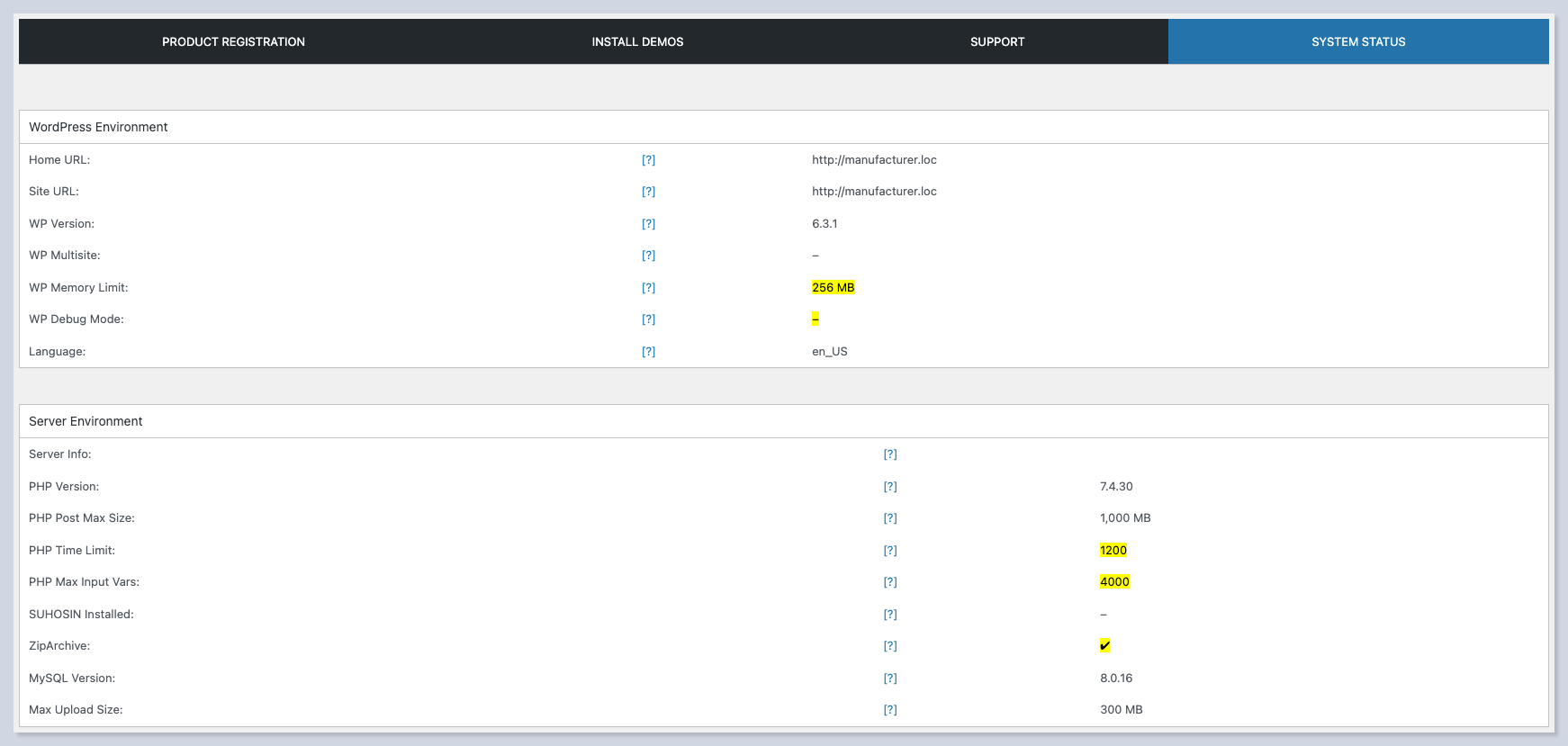
There is a **System Status** tab in **Manufacturer Dashboard** that gives you access to main server indicators:

<figure><img src="https://1459969203-files.gitbook.io/~/files/v0/b/gitbook-x-prod.appspot.com/o/spaces%2F-MDPQyrgiguEnkzAK5k5%2Fuploads%2Fsf1WFNQA2mkcdW2FunZt%2FSystem%20status%20%E2%80%B9%20Manufacturer%20%E2%80%94%20WordPress.png?alt=media&#x26;token=91badbde-9586-4197-8b09-d997a4618dfb" alt=""><figcaption></figcaption></figure>

{% hint style="info" %}
**The server Environment** section shows which minimum requirements are met on your server.
{% endhint %}

You can change the required parameters and PHP version under the Hosting account, cPanel, or contact your hosting provider to set the right parameters for you.
